Showing posts with label Game Window. Show all posts

From PopCap Games:

Take your best shot with energizing arcade fun! Aim, shoot, clear the orange pegs, then sit back and cheer as 10 whimsical teachers guide you to Peggle greatness. Conquer 55 fanciful levels with 10 mystical Magic Powers, racking up bonus points and shots youll smile about for weeks. Face off against your friends in Duel Mode, or tackle 75 extra-tricky challenges. It's luck and skill and joyous thrills, and amidst all this fevered action only one question remains: Can you become a Peggle Master?


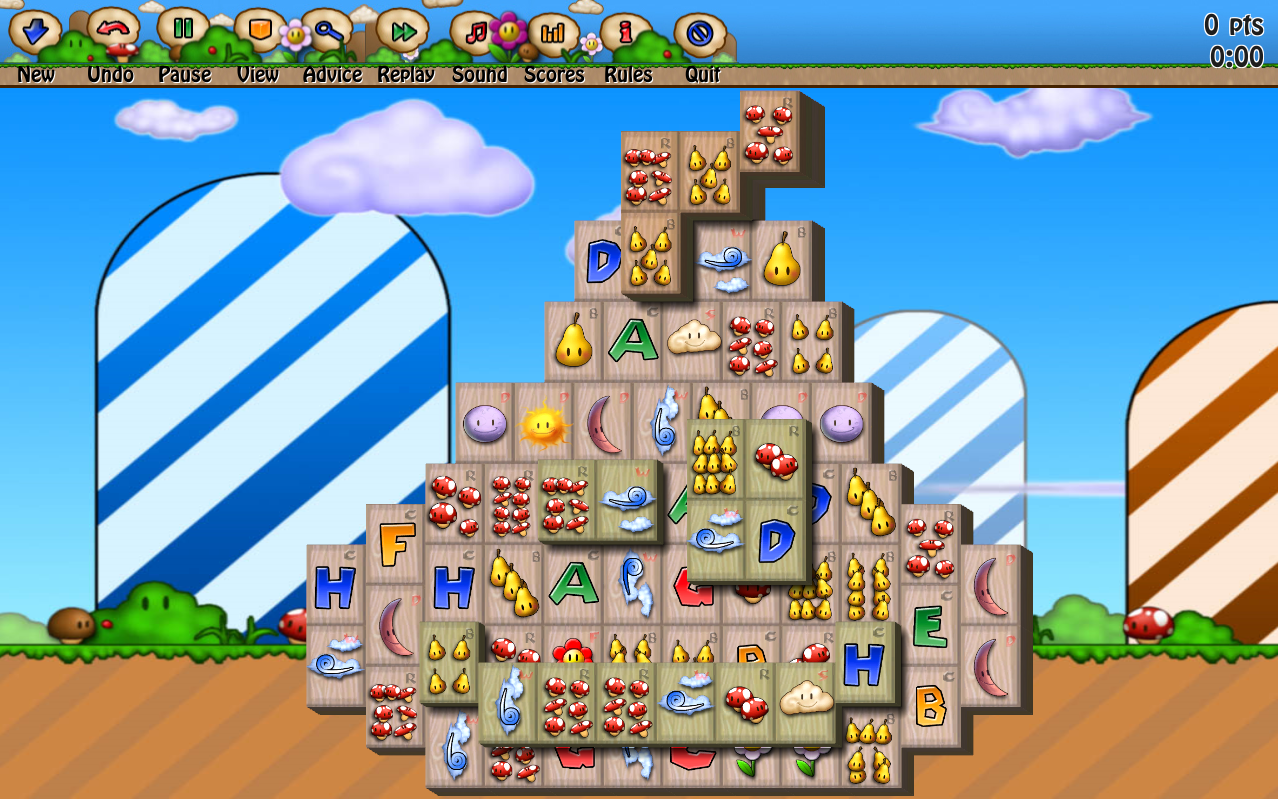
We have loved mahjong--or the popular computer version of it, which is really mahjong solitaire--ever since we first encountered it in our middle school computer lab. True mahjong is a multiplayer table game and bears little resemblance to the computer game that most Westerners know, which involves matching mahjong-style tiles with one another in order to clear the board. Mahjong In Poculis is the latter. If you're looking for traditional mahjong, this isn't it, but if you're a lover of mahjong solitaire, be prepared to spend a big chunk of your time with this addictive game.

The game's home screen lets you select your language, add players, and choose a difficulty level (child, standard, or expert). There are six themes to choose from--Asian, Halloween, neutral, wonderland, Easter, and Christmas--and each theme contains numerous different tile setups that reflect the theme. You must complete the first game in order to move on to the next one, with award medals along the way. The program's graphics are quite attractive, with options for 2D and 3D rendering, and each theme contains matching music that has its own volume control. A built-in Help file gives new users an overview of how the game is played, and a really detailed scoring interface gives serious players plenty of stats about their performance. We do wish that Mahjong In Poculis let you save games that are in progress, but this is a relatively minor complaint. Overall, this is the best digital version of mahjong that we've encountered, and we recommend it.

Mahjong In Poculis installs a desktop icon without asking and leaves a folder behind upon removal.

From Infanamy:

WordBiz is a Java-driven application which enables you to play scrabble online on the ISC (Internet Scrabble Club) server located in Romania. Various dictionaries are available, so you can play in many different languages, from English to Romanian. Begginers can ask for help, as many volunteers will gladly guide them. Warning, WordBiz requires Microsoft Java Virtual Machine to be installed on your system. Requirements: * OS: Win XP

From SpinTop Games:
Pieces of an ancient tablet have started turning up around the globe and the Museum needs your help to find and unearth the broken pieces to lead you to the most expensive gem ever known, the World Diamond. Complete over 100 levels by finding hidden objects & circumventing unique puzzle traps. Explore 25 unique & exotic locations around the world. Find over 2100 hidden objects in 3 different game modes. Play 7 different mini-games including place-the-differences, spot-the-differences.
Version 1.0.0.5 improves Vista compatibility.

What's new in this version:
Version 1.0.0.5 improves Vista compatibility.
123 Free Puzzle 2005 offers eight solitaire card games at no cost, so there isn't much not to like about it. Installation is smooth and start-up is quick. A friendly help window displays the available games, and a rules button leads to a detailed description as well as definitions to commonly used solitaire terms. The time and score options can be turned on and off for those who desire free-form play. A variety of interesting and colorful backgrounds are available for the program's interface as well as for the cards. 123 Free Puzzle 2005 should easily provide hours of entertainment to card-game junkies.

Publisher's Description-From TreeCardGames:

Free Puzzle Card Games 2010 is an exciting collection of puzzle solitaire card games. Free Puzzle Card Games includes eight great puzzle games: Four Sums, Knights Errant, Move for the Goal, Only-One-Left (4-by-4), Only-One-Left (5-by-5), Put-Them-in-Order (4-by-4), Put-Them-in-Order (5-by-5) and Tower of Hanoy. Each game has an unlimited number of possible shuffles, so the game remains fresh no matter how many times you play.

What's new in this version:

Free Puzzle Card Games 2010 - v. 5.0 includes the Ribbon, a graphical user interface composed of a strip across the top of the main playing area, and other interface enhancements.

It's time to play the Family Feud -- the fast-paced game based on the successful TV game show. Try to guess what 100 people said when they answered our survey questions. Beat the average score -- or go head-to-head with a friend or an entire family. Pass, play, steal, and strike. Hours of fun with over 2,000 questions and 10,000 answers. Art, music, and commentary from the game's host


With four unique and entrancing ways to play, explosive new game pieces and awe-inspiring planetary backdrops, Bejeweled 2 is more wildly addictive than ever before. Besides the newly improved Classic mode, players can solve hand-crafted brain teasers in Puzzle mode, race against the clock in Action, or kick back and relax with the new Endless mode.

If you're the type of person who likes a challenge, UnBlockMe from GzDev offers 7,800 levels of difficulty for the serious gamer. The objective, as with most really good games, is simple: get the red block out to the right side of the screen and into a gap in the wall.

UnBlockMe's interface and the mechanics of the game are really quite simple. Just drag the blocks up, down, and sideways to free up the red one. As expected, the game progressively becomes more difficult as you go up the levels, so stick with it if you think it's too easy at first. And, if you master the game in this mode, there is also an option to play the game based on efficiency, as in using the least number of moves to free the red block.

UnBlockMe is a simple game that can turn out to be really quite addicting. Don't say we didn't warn you. One minor issue with the application during the testing is that it placed a desktop icon without permission.


Publisher's Description
From GzDev:

The famours "UnBlock Me" Game with 7800 Levels. Challenge yourself to move the red block to the right edge of the screen. Download and tease your mind with 7800 Level.. Go and try to "Unblock" the red block.

The creator of Tetris, Alexey Pajitnov, teamed up with Microsoft to help create Pandora's Box. It is a puzzle-solving game that will take you literally to the ends of the Earth. This journey includes 350 puzzles. It's up to you to solve them, capture the Tricksters, and save the world from chaos.

The puzzles are not typical word and logic puzzles, but instead take advantage of computer technology and challenge your visual skills. Some are twists on a familiar challenge and others are unique. They all provide a relaxing, subconscious, and enjoyable challenge that can be more fun than cerebral word or logic puzzles

BrainSpeeder Brain Games is a free trio of seemingly simple brain games that you can play on your PC or online against other players. It tweaks your topknot by challenging your memory and math skills with games that are easy to learn and quick to play yet become more challenging as you progress through their levels. The games are Arithmetic, which tests basic math skills like addition and subtraction; Mnemonic, which requires players to quickly memorize and recall numbers; and Speedoku, in which players must complete number sequences.

BrainSpeeder's simple log-on and control panel involves three actions: choosing a language, either German or English; opting to play online or offline; and entering or choosing a player name from a drop-down list and logging on with a password. We chose offline mode to start, which required us to create a player name but not a password. We entered our data and clicked Next, which presented us with three choices: Games, Mode, and Level. We chose the Arithmetic game, Standard Mode, and Level 1 of 8. The game challenged us to solve an equation as quickly as possible and enter the answer. Counters displayed our score and errors. The game doesn't advance without a correct answer. Like the Arithmetic game, the other two games were easy to play--at first. While you don't need to register with BrainSpeeder to play, the registration is free and not very intrusive; it didn't even require an e-mail address. The chief benefit of registering is being able to track your scores online and compare them with other players' scores. Web-based rules of play seem to be the only documentation.

It seems you must close the program to end a game without finishing it, and it doesn't remember your language choice; you must choose German or English when you open BrainSpeeder (which doesn't bother us too much since avoiding cookies works to keep both software and software users thin and nimble) and enter your password each time, though that's no bother. The best brainteasers are simple yet challenging, and that describes BrainSpeeder Brain Games, too


Puzzle and skills type of game in witch you have to help a little fish on it's mission to rule the whole pond by eating all the other fish. Mouse key to aim and click to swim around. Eat smaller fish in order to grow and eat bigger fish.

All of the best, classic table games with a brand-new twist. Get ahead faster with in-game tutorials that walk you through the fun, step-by-step. Earn Hoyle Bucks and purchase extra content, music. With animated opponents who talk back and speak their minds. It includes 18 of your favorite board games: Backgammon, Checkers, Chess, Chinese Checkers, Battling Ships, Dominoes, Rummy Squares. For over 200 years, 'According to Hoyle' has meant playing games right. The legacy continues with Hoyle Board Games 2005.

What would Monopoly be like if it were invented today? Find out as this classic family favorite gets a modern makeover for today's would-be billionaires! Buy and sell all-new properties featuring popular destinations from across the United States. Challenge your friends and family to exciting Monopoly fun, or play against an advanced AI with multiple difficulty settings.


We love puzzle games, and we frequently have trouble tearing ourselves away from them. We have to admit, though, that we were happy to stop playing 7 Wonders II. The game itself isn't so bad, but the obtrusive advertising it comes with annoyed us thoroughly.

To install 7 Wonders II, users must first download the Free Ride Player, which then allows users to download the actual game. Although the player is a mere 720K, 7 Wonders II is 25MB. We didn't love the fact that Free Ride Player downloaded three additional games without asking for our permission, either. The game itself is a matching puzzle game; line up three or more like gems to clear them from the board and earn points. As you do this, you create stones that tiny workers at the bottom of the screen use to build the Seven Wonders. Users start with Stonehenge, completing several rounds of puzzles to construct it, and then move on to the next wonder. The gameplay is similar to every other puzzle game of this type that we've encountered, although there are a lot of special pieces and other little quirks (which aren't always very clearly explained). We liked the game well enough, but its interface is surrounded by ever-changing advertising, which is quite annoying and distracting. It also periodically interferes with the game's performance. We were shocked when our game was interrupted by a 20-second video ad that we had to sit through before we could resume play. Overall, we're not big fans of 7 Wonders II; there are too many other games that are similar and that don't bombard players with advertising.

7 Wonders II installs three desktop icons without asking but uninstalls cleanly. We recommend this program with reservations.


Download game Wise Game Booster free full now optimizes your system for games by temporarily suspending unnecessary processes, individually or all at once, to focus resources on gaming performance. It analyzes your system and suggests courses of action for all processes and services. While Wise Game Booster is easy and safe to use, beginners should use it with care.

Pros

Suggestions: Wise Game Booster suggests a course of action for each optimization process, which not only boosts performance but also reduces the risk of stopping the wrong process.
Single-click or step-by-step optimization: Clicking Optimize All runs all of Wise Game Booster's optimization processes at once, while the System, Service, and Process Optimizer menus offer a wide variety of individual options with explanations of what each does. If stopping a service affects PC performance or stability, you can easily start it again.
Not for games only: Wise Game Booster basically frees up RAM and processor resources, so it can boost your PC for any power-hungry process -- not just games.

Cons

My Games: The My Games menu is handy for collecting and quickly accessing your games, but it doesn't enable specific processes.
More options: We'd like the ability to program and save individual sequences, whitelist processes, and maybe set performance or resource thresholds.

Bottom Line

Barring hardware upgrades, your system can use a little help keeping up with ever-evolving game power. That's where Wise Game Booster enters the scene. It can quickly optimize your entire system or boost just those processes that need it, whether you're gaming or just computing.

Download game Rosetta Stone From Kengine Gaming full free now
Whether your are playing Greek number mode or Egyptian letter mode, the number one rule to keep in mind is keeping the scales balanced but its not that easy. As you try to gain points by completing equations or words, blocks drop down from above and throw off the weight of the scales. Thats right; the game is not on your side. Heavy blocks and dynamite blocks begin to complicate things as well, adding to the pandemonium; let either scale tip too soon, and your hopes at making the online high-scores will be history. But be sure to keep an eye out for the golden blocks; take advantage of them, and your name could be shining in the Top 10

Download OpenTTD Full Free  From OpenTTD Group:

Note :
OpenTTD (64-bit for Windows XP/Vista/7/8)

OpenTTD is an open source simulation game based upon the popular Microprose game "Transport Tycoon Deluxe", written by Chris Sawyer. It attempts to mimic the original game as closely as possible while extending it with new features. As president of a start-up transportation company in 1950, you have a choice of building rail, road, air and maritime transportation routes to build up your transportation empire. Outsmart your competition by beating them to attractive passenger and commodities routes to become the game's highest-ranking transport company by the year 2050. During the course of the game, the player has to build and expand their transport infrastructure. The only infrastructure present on the map at the start of the game are roads within towns, all other infrastructure; ports, stations, airports, rail and depots, have to be built by the player. The tools for building a rail network are particularly powerful and the player has access to many different signal types in order to build a complex and interconnected rail network.

Technological improvements give the player access to newer, faster and more powerful vehicles. In the case of rail transport, new track technology also becomes available over time, first electrified rail, then monorail and maglev track. In general, newer vehicles cost more money to purchase and to run, and the player has to have earned enough money in the earlier stages of the game in order to be able to afford to upgrade their vehicles. The player can optionally start at earlier dates and play on past 2050, although no new technology becomes available. OpenTTD can be played as a single player, against a computer controlled AI, or multiplayer both over a LAN or the Internet. OpenTTD supports multiplayer games for up to 255 players between 15 different transport companies can be played both over a LAN or over the Internet. Each transport company is in competition with each other transport company, and each transport company can be controlled by more than one player at any time. This allows both co-operative and competitive multiplayer games. Competitive team games (e.g. two transport companies, both controlled by three players) are also possible. OpenTTD is licensed under the GNU General Public License version 2.0. For more information, see the file 'COPYING' included with every release and source download of the game.

What's new in this version:

Version 1.4.4 contains fixes for crashes, specifically when changing full animation settings, when chat messages are shown, and due to incorrect ownership transfer of road depots upon bankruptcy.


Download game Mario World Overrun Full Free From Softendo Download Games:

Defend your castle from the many creatures and enemies in Mario's World get turrets stronger plasma rifles and more guns. Get money to arrage more defenders, kill goombas, koopa troopas and make combos to get extra score and bucks to rule the Mario World.

Download game Stronghold 1 Full Free From Firefly Studios:
Stronghold 1 adds free build mode to the game and extra options into multiplayer mode. You can stop alliance while playing in multiplayer mode. Gatehouses can be captured now from an enemy player. This version is the first release on CNET Download.com.

What's new in this version:
This version is the first release on Playtroll playtroll.org

Popular Posts

Powered by Blogger.